Official 9club8 App

Download App 9club8 – Bringing Malaysia's Best Casino Experience Right to Your Pocket

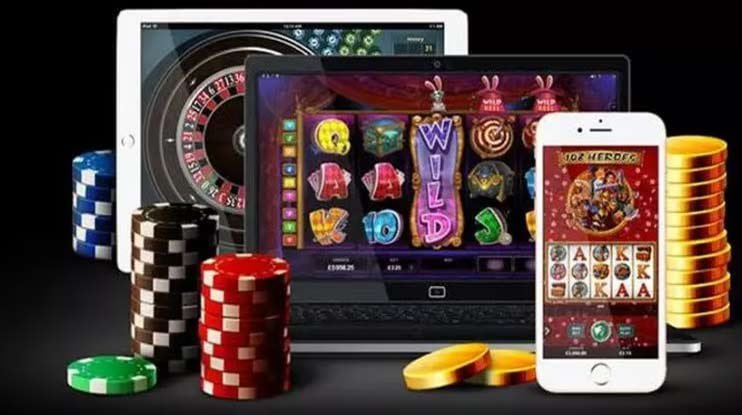
The 9club8 mobile app is now available for Android and iOS. Enjoy over 500 curated games including Live Casino, Fish Shooting, Bingo, and Sports Betting — all in one lightweight, secure app fully optimised for your phone.

Android APK iOS / iPhone 100% Secure Fast Loading Auto Update
9club8
500+ In-App Games
<45MB Android APK Size
4.8★ User Ratings
24/7 In-App Support
Download Now

Choose Your Platform — Android or iOS

The 9club8 app is designed to work seamlessly on both platforms. Choose your device and follow the simple installation steps.

v3.8.2 — Latest

9club8 for Android

Download the official 9club8 APK file directly to your Android device. Compatible with Android 7.0 and above. The compact file size ensures fast installation even on slow internet connections.

44.6 MB File Size
Android 7.0+ OS Requirements
2026 Updated
Download Android APK

"Unknown Sources" must be enabled in Android settings

v3.8.2 — Latest

9club8 for iOS

IPhone and iPad users can access 9club8 directly through the Safari web browser without downloading any app. The optimised web app experience delivers performance on par with a native app.

No Download Required Web App
iOS 13.0+ OS Requirements
Safari / Chrome Browser
Open in Safari / Register

Add to home screen for quick access just like a native app

9club8
Android Installation Tips
  • Make sure your phone battery is above 30% before starting the installation to avoid interruptions.
  • If a "Harmful app" warning appears, this is normal for sideloaded APKs — proceed by tapping "Install Anyway".
  • Once installed successfully, open the app and log in directly using your existing 9club8 account.
  • Enable in-app notifications to receive alerts on exclusive bonuses and promotions.
  • Manually update the app via the Download page whenever a new version is released.
Android Guide

How to Install the 9club8 APK on an Android Device — Step by Step

Installing the 9club8 app on Android is a straightforward process that takes less than 3 minutes. Because the app is not distributed through the Google Play Store due to platform policy, you will need to download the APK file directly from the official 9club8 website. No need to worry — the process is completely safe and has passed rigorous security testing.

Before getting started, make sure you are using an Android phone running version 7.0 (Nougat) or above. All popular phones in Malaysia such as Samsung, Oppo, Vivo, Xiaomi and Huawei are fully supported without any issues.

1
Enable Installation from Unknown Sources

Go to Settings → Security → enable "Install Unknown Apps" for Chrome or whichever browser you are using. This step only needs to be done once.

2
Download the 9club8 APK File

Click the "Download Android APK" button on this page. The 9club8 APK file will be automatically downloaded to your phone's "Downloads" folder. File size is approximately 44.6 MB.

3
Open the APK File & Begin Installation

Open your phone's file manager, find the 9club8 APK file you just downloaded, and tap on it. The installation screen will appear — tap "Install" to proceed.

4
Wait for Installation to Complete

Installation takes approximately 20–40 seconds depending on your device speed. Do not close the screen while the process is running.

5
Login or Register a New Account

Once installed, the 9club8 icon will appear on your phone's home screen. Open the app, log in with your existing account or register a new account for free and start playing.

iOS Guide

How to Use 9club8 on iPhone & iPad Without Downloading Anything

Apple users have an easier way to enjoy 9club8 — through a Progressive Web App (PWA) accessible directly via Safari or Chrome. PWA technology lets you add 9club8 to your iPhone's home screen just like a regular app, without going through a download and installation process that takes up phone storage.

The advantage of this approach is that you always get the latest version of 9club8 automatically, with no manual updates needed. Every time you open the shortcut on your home screen, the app loads the most current version directly from 9club8's servers — so you'll never miss a new feature or security update.

The 9club8 PWA experience on iPhone is on par with a native app — smooth animations, full touch support, full-screen mode, push notifications, and quick access to all game categories. All of this without using any extra storage space beyond the usual browser cache.

1
Open Safari on Your iPhone or iPad

Make sure you are using Safari (recommended) or Chrome. Type the 9club8 address in the URL bar and go to the home page. Ensure your internet connection is stable.

2
Tap the "Share" Icon at the Bottom of Safari

Below the Safari browser bar, tap the square icon with an upward arrow (the Share icon). A menu will appear from the bottom of your screen.

3
Select "Add to Home Screen"

Scroll down in the Share menu until you see the "Add to Home Screen" option. Tap it and name the shortcut "9club8".

4
Tap "Add" in the Top Right Corner

Tap the "Add" button in the top right corner of the screen. The 9club8 icon will instantly appear on your iPhone's home screen, ready to use at any time.

5
Open 9club8 from Your Home Screen & Login

Tap the 9club8 icon on your home screen to open it in full-screen mode. Log in or register a new account and enjoy all games without any restrictions.

9club8
iOS Requirements
  • iPhone — iOS 13.0 and above
  • iPad — iPadOS 13.0 and above
  • Browser — Safari (recommended) or Chrome
  • Connection — WiFi or 4G/5G
  • Storage — No additional storage required
App Features

Why So Many Malaysian Players Choose to Play via the 9club8 App

The 9club8 app is more than just a standard mobile version — it was rebuilt from the ground up to deliver the best gaming experience on your phone.

Games Load 3x Faster

The integrated cache technology in the 9club8 app ensures that games you have played before load almost instantly without needing to reload graphic assets.

Live Bonus & Jackpot Notifications

Receive real-time alerts directly on your phone's home screen whenever there are new bonus offers, free spins or major jackpots available for you to claim.

Biometric Login

Use fingerprint or Face ID to log in to your 9club8 account securely and instantly. No need to type your password every time — one touch is all it takes.

Data Saver Mode

The 9club8 app features a data-saving mode that compresses streams without sacrificing game quality — ideal for playing on mobile data.

Full Data Encryption

All communication between the app and 9club8 servers is protected by SSL 256-bit encryption. Your personal data and financial transactions are always safe from external threats.

Dark Mode & Exclusive Themes

The 9club8 app supports automatic dark mode based on your phone's system settings, reducing eye strain during late-night sessions.

In-App Live Chat Support

Contact 9club8 support directly within the app without leaving to open a browser. 24/7 live chat in both English and Malay is fully available.

In-App Deposits & Withdrawals

Manage all financial transactions directly within the app — DuitNow, FPX, Touch 'n Go, Boost and GrabPay are all supported with instant processing.

Full-Screen Mode

Enjoy an immersive gaming experience in full-screen mode — especially for live casino and fish shooting games that benefit from a larger, more immersive display.

9club8
Common Troubleshooting
  • APK installation failed? Make sure "Unknown Sources" is enabled in your Android security settings.
  • App slow or lagging? Clear the app cache under Settings → Apps → 9club8 → Clear Cache.
  • Unable to log in? Check your internet connection or use the "Forgot Password" function to reset it.
  • Games not loading? Update the app to the latest version or try accessing again after a few minutes.
  • Still having issues? Reach 9club8 support via 24/7 in-app live chat for immediate assistance.
Why 9club8?

The 9club8 App — More Than Just Another Mobile Gaming Platform

In an increasingly crowded online entertainment space, 9club8 takes a different approach. Rather than simply porting the desktop version to a smaller screen, the 9club8 development team spent over two years building a truly optimised mobile experience from scratch — from code architecture and navigation flow to button design and animations that feel natural at your fingertips.

The results speak for themselves. Users who switch from other platforms to the 9club8 app often comment on how responsive the touchscreen feels, how quickly pages transition between sections, and how easy it is to find the games they want. This is no accident — it's the outcome of continuous testing with real Malaysian users.

One aspect that often goes unnoticed but is critically important is security. 9club8 uses industry-grade encryption for all communication between the app and their servers. Every login session is authenticated using a uniquely generated token, and the 9club8 system automatically detects any suspicious access attempts and notifies you immediately.

For players mindful of mobile data usage, 9club8 offers a smart data-saving mode. It automatically adjusts Live Casino stream quality and slot graphics resolution based on your current connection — so you always get the best experience without worrying about a high data bill.

The in-app notification system in 9club8 is also among the most advanced of any entertainment platform in Malaysia. You can set exactly which types of notifications you want to receive — whether daily bonus alerts, notifications when a jackpot exceeds a certain amount, or reminders to claim weekly rewards. All of this can be managed directly from the settings menu within the app.

SSL 256-bit
Industry-grade encryption
Auto Update
Always the latest version
Smart Cache
Faster loading
Fully in Bahasa Malaysia
Malaysia Interface
Comparison

9club8 App vs Web Browser vs Other Platforms — Choose What Works Best

Not sure whether to use the app or go straight from the browser? Check out this full comparison to make the right decision.

Features 🏆 9club8 App Web Browser Other Platforms
Loading Speed ✔ <2 seconds 3–5 seconds 5–10 seconds
Push Notifications ✔ Yes, full Limited Varies
Biometric Login ✔ Fingerprint / Face ID ✘ None Rare
Data Saver Mode ✔ Automatic ✘ None Limited
Malay Interface ✔ Fully in BM ✔ Fully in BM Limited or none
Local MYR Payments ✔ DuitNow, FPX, TnG ✔ DuitNow, FPX, TnG Frequent switching required
24/7 Live Chat Support ✔ In-app ✔ Via web Limited time
Full-Screen Mode ✔ Automatic Manual only Inconsistent
Required Storage Space ~45 MB (Android) ✔ None 50–150 MB
Specifications

Minimum System Requirements for the 9club8 App

Check that your device meets the minimum requirements before downloading the 9club8 app for the best experience.

Android Requirements
  • OS Version: Android 7.0 (Nougat) or later
  • RAM: Minimum 2 GB (4 GB recommended)
  • Storage: 100 MB free storage
  • Processor: Quad-core 1.4 GHz or faster
  • Connection: 4G / WiFi (5G supported)
  • Screen Size: 5 inches and above recommended
  • Supported Brands: Samsung, Oppo, Vivo, Xiaomi, Huawei, Realme and more
IOS / iPhone Requirements
  • OS Version: iOS 13.0 or later
  • iPhone Models: iPhone 6S and above
  • iPad Models: iPad (5th generation) and above
  • Storage: No additional requirements (PWA)
  • Browser: Safari 13+ or Chrome 80+
  • Connection: 4G / 5G / WiFi
  • JavaScript: Must be enabled in Safari settings
FAQ

FAQ About Downloading the 9club8 App

Yes, the 9club8 app is completely safe to download and install. APK files distributed through the official 9club8 website have undergone rigorous security testing and are free from any malware or viruses. All in-app communication is protected by industry-grade SSL 256-bit encryption. The "Unknown Sources" warning that appears during installation is a standard Android prompt for all APKs that do not come from the Google Play Store — this does not mean the app is dangerous.

Google Play Store and Apple App Store have strict policies against online gambling apps in most regions, including Southeast Asia. As a result, 9club8 distributes its Android app via a direct APK from the official website, while iOS users can access it via PWA (Progressive Web App) through Safari. Both methods are legitimate alternatives widely adopted by online entertainment platforms worldwide.

For Android users, you will need to download the latest APK file from this Download page and reinstall it. The app will install the update over the existing version without deleting your account data. For iOS users on PWA, updates happen automatically every time you open the app — no action is required on your part. You can also enable in-app notifications to receive alerts when a new version is available.

Yes, your 9club8 account can be used on multiple devices simultaneously — Android phones, iPhones, tablets and laptops or desktops can all log in with the same account. Your balance, game history, favourites list and settings will sync automatically across all devices in real time. You can start a gaming session on your phone and continue it on your computer without losing any progress.

No, downloading and installing the 9club8 app is completely free. There are no registration fees, monthly subscription fees or hidden charges. The only cost involved is the internet data usage when downloading the APK file (approximately 44.6 MB) and while playing. It is recommended to download the APK over a WiFi connection to avoid excessive mobile data usage.

If the 9club8 app won't open after installation, try the following steps in order: first, restart your phone; second, clear the app cache via Settings → Apps → 9club8 → Storage → Clear Cache; third, uninstall and reinstall using the latest APK from this page. If the issue persists, your device may not meet the minimum requirements or there may be a conflict with your phone's security software. Contact 9club8 support via live chat for further assistance.

Yes, the 9club8 mobile app supports live casino streaming in full HD quality. You can play Baccarat, Roulette, Blackjack and a variety of other live table games with real human dealers directly from your phone. For the best experience, use a stable WiFi or 4G/5G connection. 9club8's data saving mode can also be enabled if you are playing on mobile data to reduce data usage without significantly compromising game quality.
Download Now

Join Millions of Malaysian Players — Download the 9club8 App & Start Playing Today

Create a free account, claim your welcome bonus, and enjoy over 500 curated games right from your phone. No hidden fees, no commitment.

Bahasa Melayu